How to Pay with a Purchase Order
Pay for StayPut hardware and services using a purchase order.
Schools, districts, and booster clubs can pay by purchase order instead of a credit card. StayPut also accepts checks — contact your account rep or email po@stayputsecurity.com to arrange one.
Once a PO is submitted for an invoice, you can’t change the order’s address, dates, or number of rooms. If your PO documentation isn’t received within 10 days, the order is cancelled.
Open Billing
From the dashboard, select Billing and find the invoice under Needs Payment.
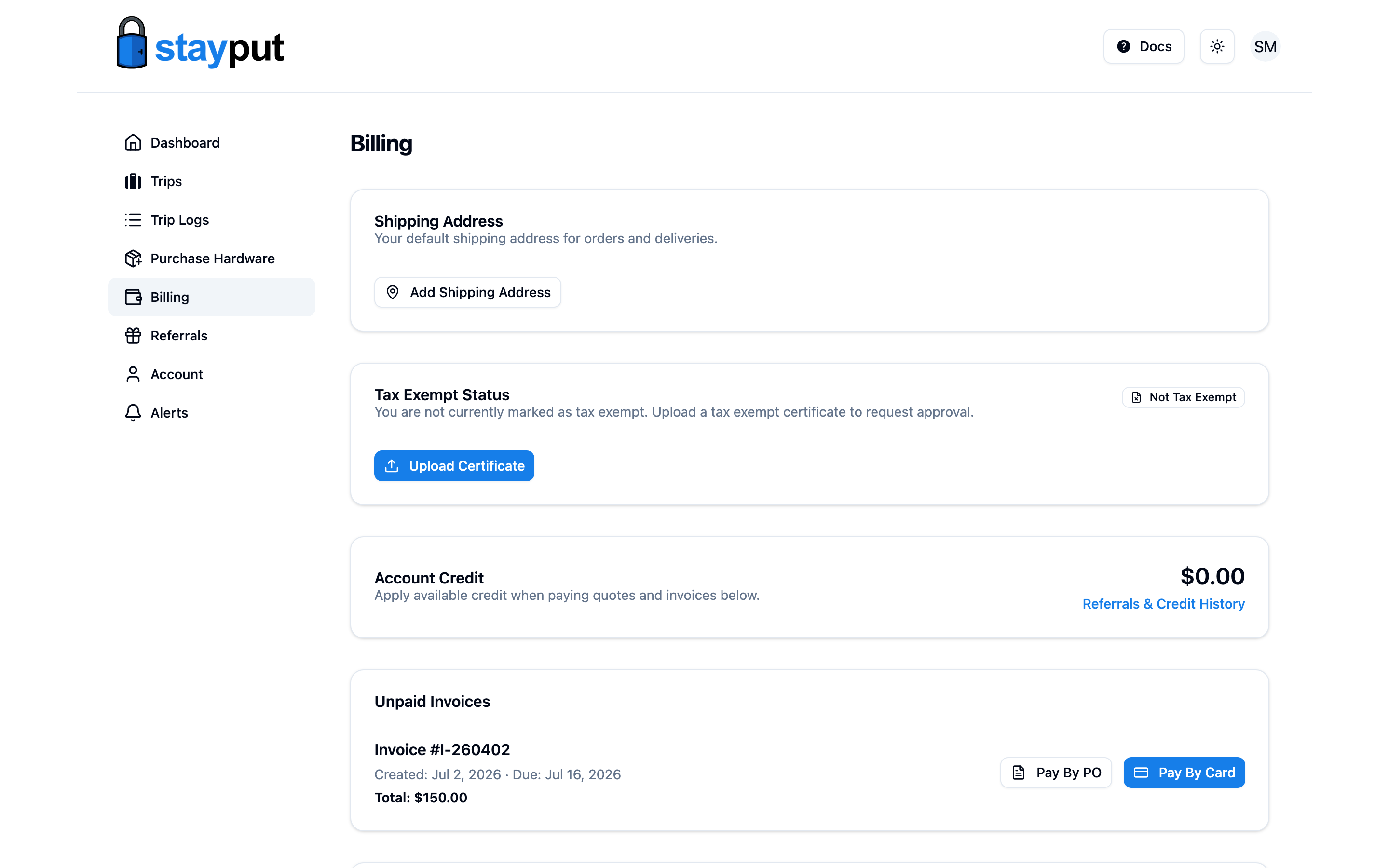
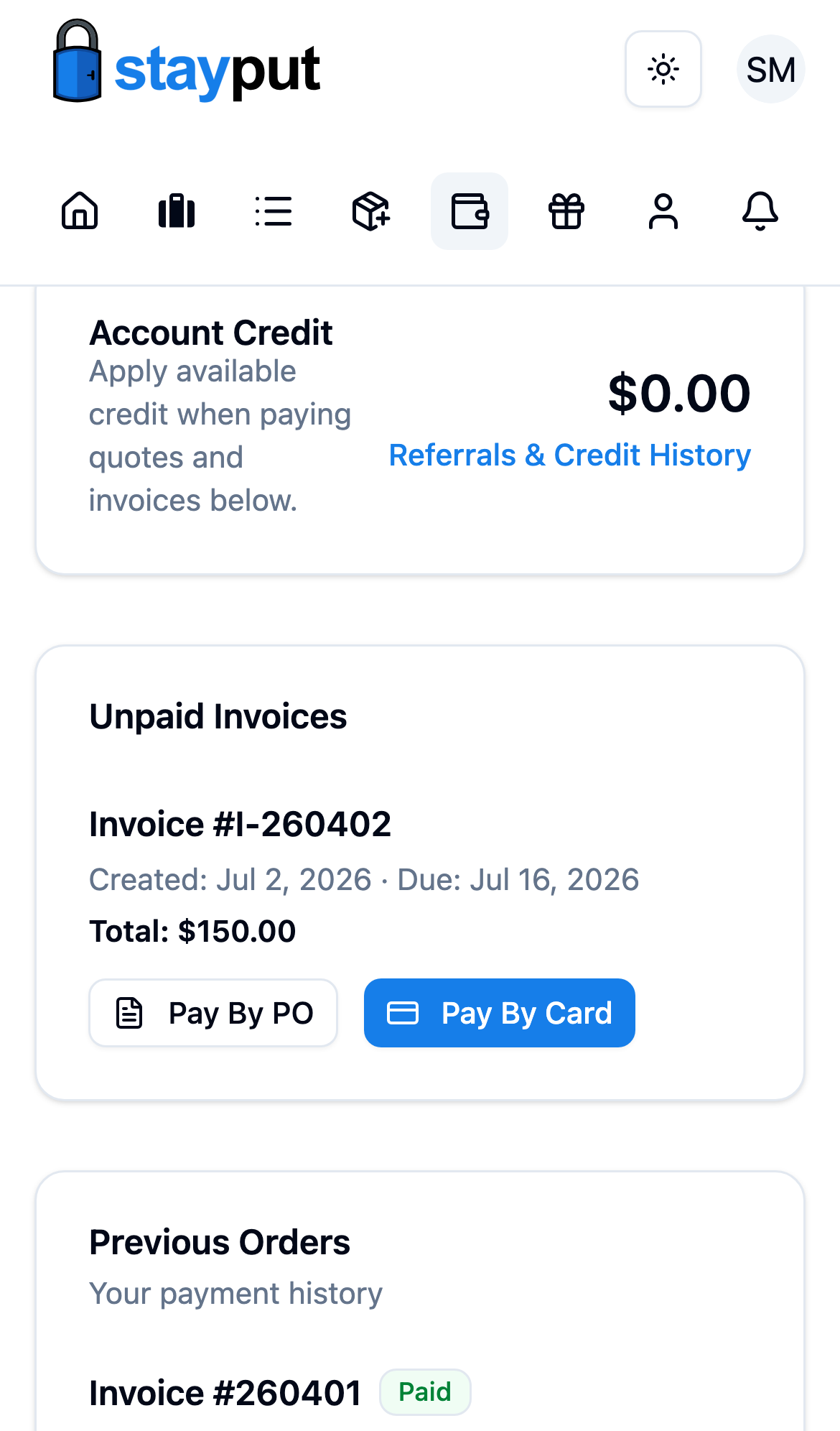
Click Pay by PO
Select Pay by PO. StayPut shows the important information above, plus where to send your documentation and the payment terms.
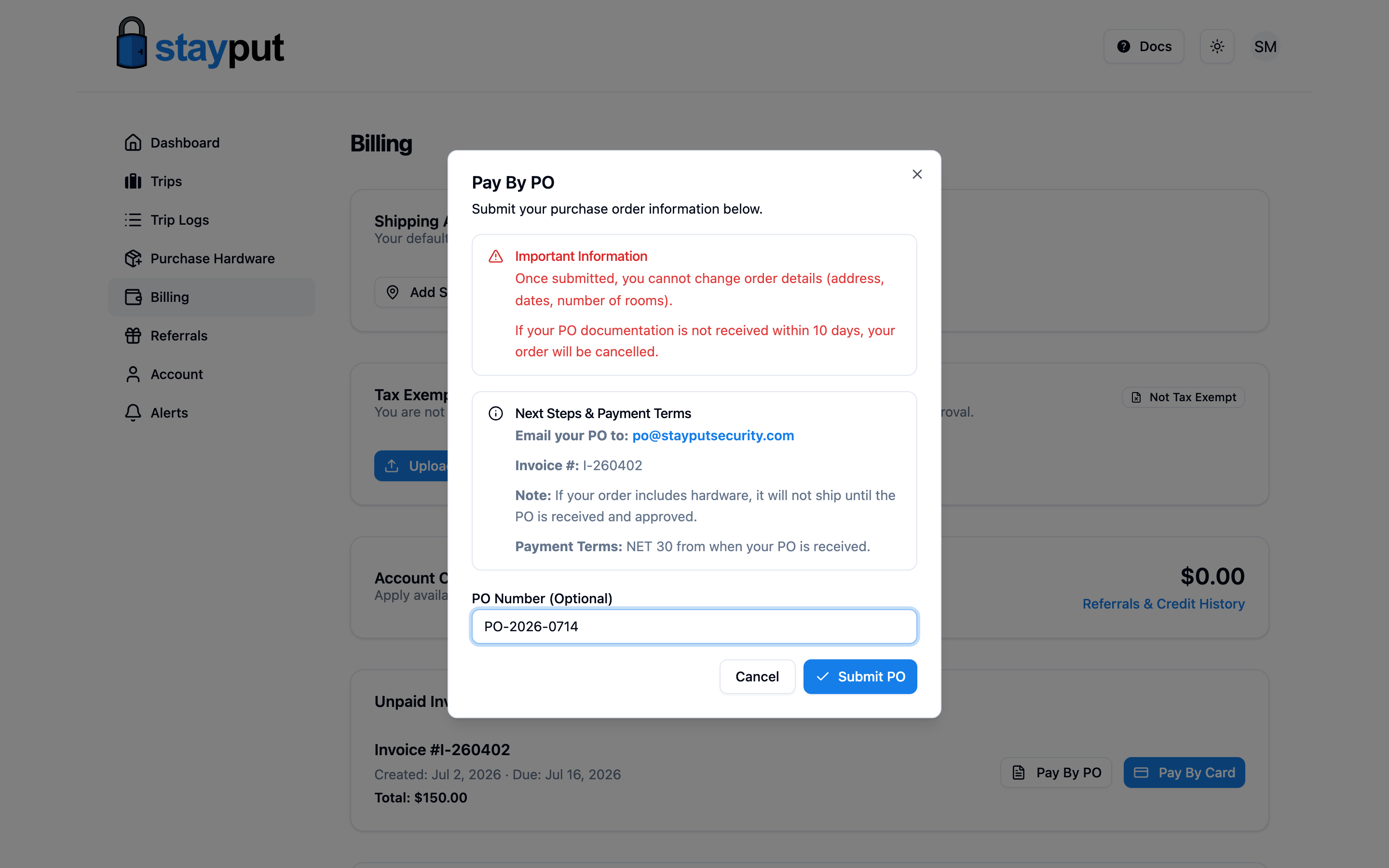
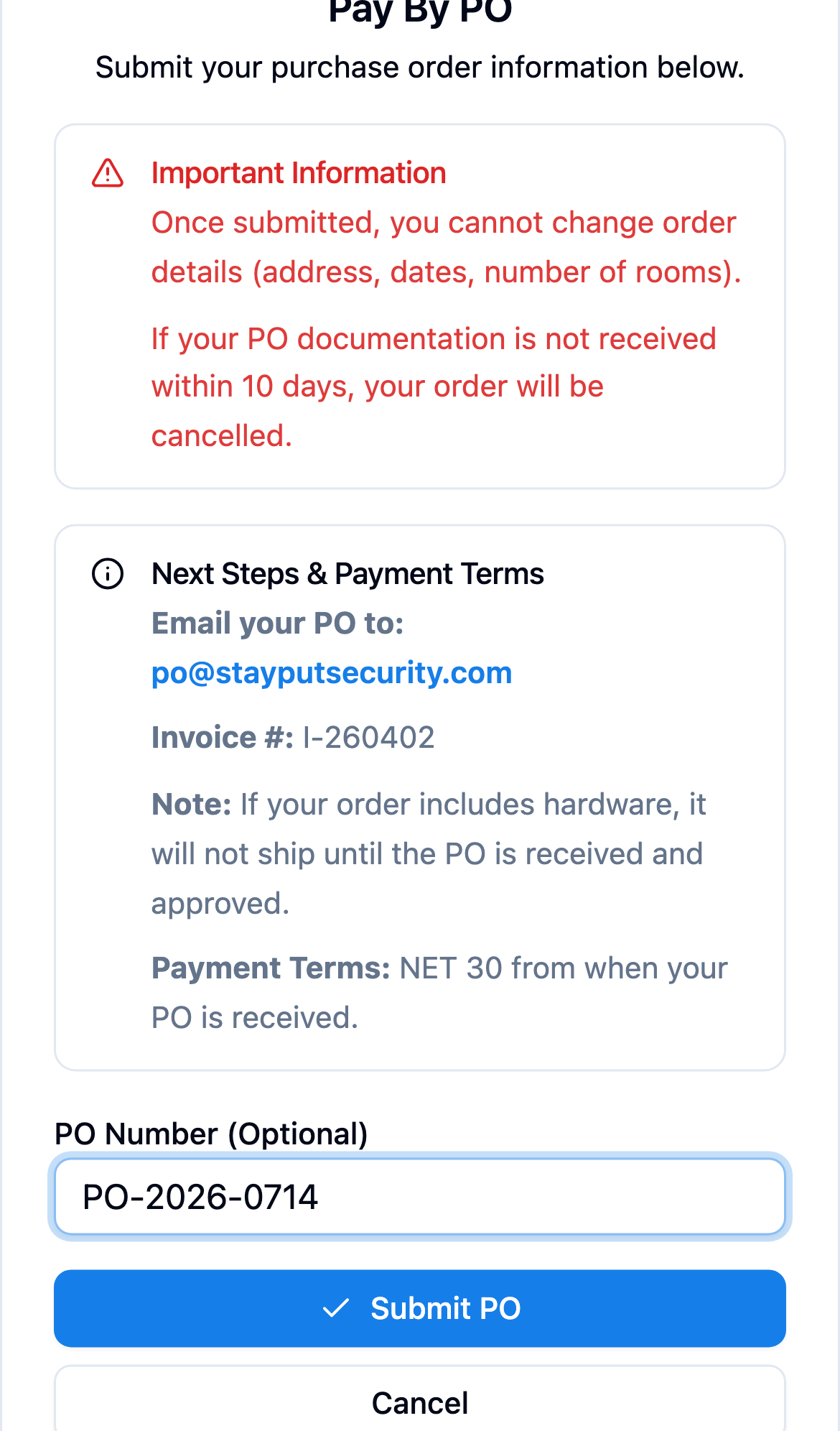
Enter Your PO Number and Submit
The PO Number field is optional — enter it if you already have one. Select Submit PO.
Email Your PO Documentation
Email your purchase order to po@stayputsecurity.com, referencing the invoice number shown in the dialog. If your order includes hardware, it won’t ship until the PO is received and approved.
Once your PO is received and marked as approved, payment terms are NET 30 from the date it’s received. The invoice shows a PO Received badge and a payment due date once that happens.
Related
- Pay with a Credit Card — for individual chaperones or when you’d rather not wait on PO processing.
- Add Tax Exemption — submit your organization’s tax exempt certificate.